Features
Everything Call Manager does for a Perfex CRM sales team
Two halves that work as one: an Android app that reads each rep's call log, and a Perfex module that files every call on the right lead or customer, then helps you act on it.
Capture
Every call on the rep's phone, without them lifting a finger
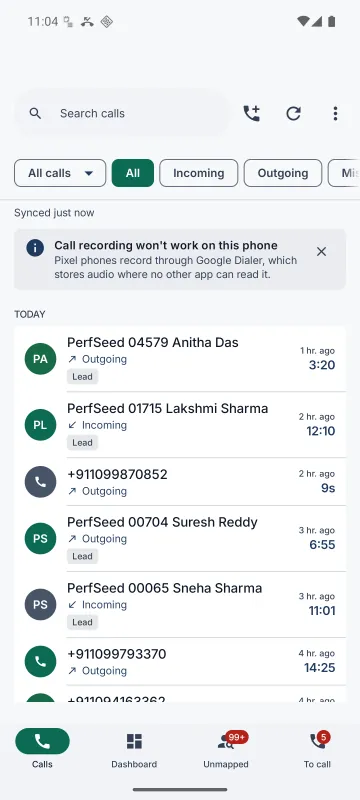
The app reads Android's own call log and syncs it in the background: number, direction, start time, talk time, SIM slot and the name the phone had saved. Sync is incremental and idempotent, so clearing the phone's call log and syncing again never creates duplicates.
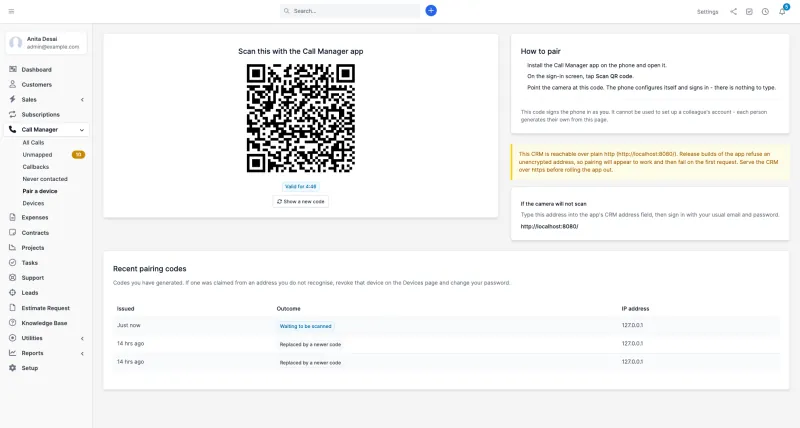
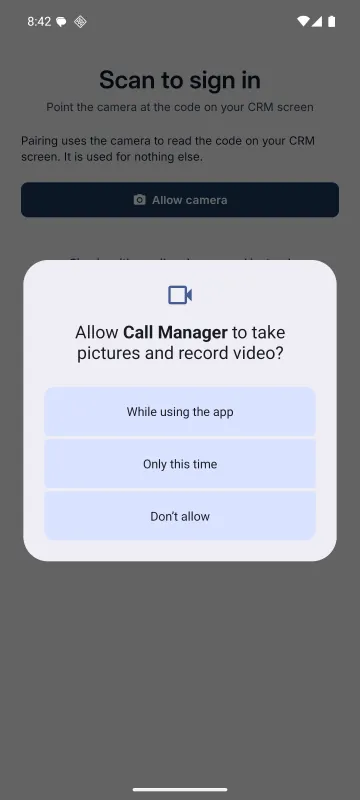
- QR pairing. Each rep scans a code from their own CRM login. It expires in five minutes, works once, and every code is logged with the IP that claimed it.
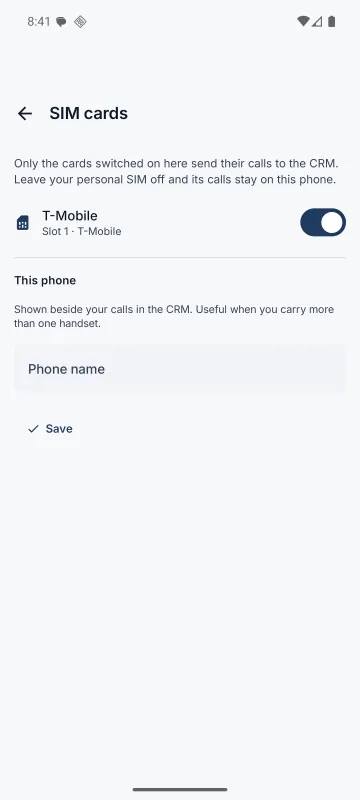
- Dual SIM, handled properly. One switch per SIM, and each call shows which handset and card it came from.
- History on day one. A newly paired phone sends its recent history, or nothing before today if you set the cutoff to 0.
- Desk phones too. Log a call by hand in the CRM and it's matched and reported like a synced one.
Match
Filed against the right lead, customer or contact
Every phone number in your CRM, on leads, customers, contacts, staff and phone custom fields, is mirrored into a reverse-lookup index that Perfex's own hooks keep current. Calls match on the subscriber digits, using the dialling codes in your CRM's country table, so +91 98450 12345, 098450 12345 and 98450 12345 all find the same lead, in any country.
- Retroactive. Create the lead on Wednesday and Monday's calls attach themselves.
- No guessing. A number that could be two records waits on a Needs review list.
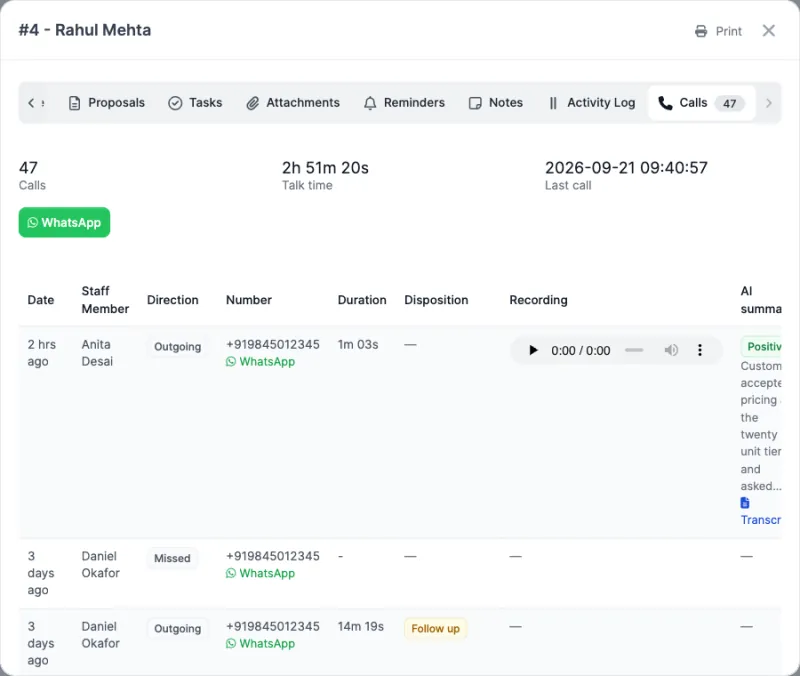
- A Calls tab on every lead and customer, including calls to the customer's contacts, with players and summaries.
- Never contacted: open leads with not a single call against them, oldest first.
The unmapped queue: prospects nobody wrote down
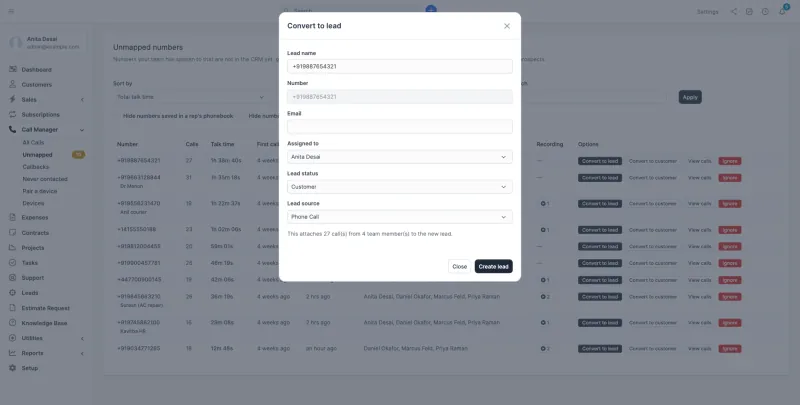
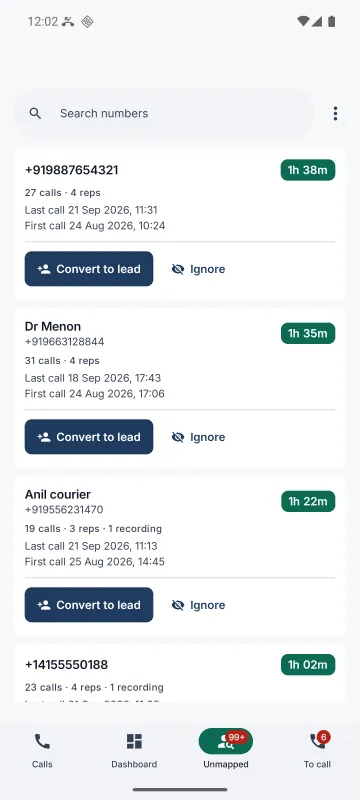
Calls to numbers the CRM has never heard of are grouped by number, not by call, and sorted by total talk time. A number your team has spent an hour and a half on is worth more than one they rang once. Convert it to a lead or customer in one dialog, and every call from every rep attaches, with a duplicate guard so converting twice never makes two.
- Names from the rep's phonebook show underneath, so "Dr Menon" and "Anil courier" are easy to spot.
- Hide saved contacts and numbers that never connected. Ignore the rest without deleting anything.
Work the calls
A call list your managers will bookmark
All Calls is where the team's calls land, and it answers the questions a sales floor asks every day.
40+ filters
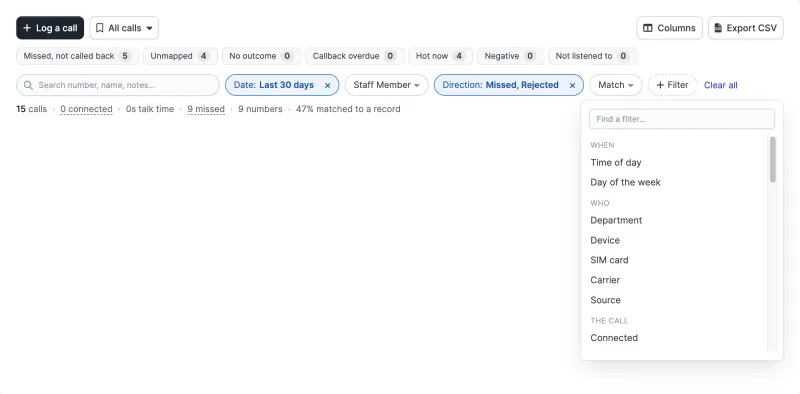
When, who, the call, the CRM record, outcome, recording, AI and follow-up, plus smart filters like "missed and not called back". Any filter can be flipped to "is not".
Saved and shared views
Save filters, columns and sort. Share with the team or make it the team default. Reps with View own see only their own calls in it, on the web and in the app.
Columns your way
Show, hide and drag columns, or switch presets: Compact, Follow-up, QA review, Everything. Each person's choice is kept with their login.
One-tap WhatsApp
Two templates, after a conversation and after a call where nobody spoke, filled with {name}, {first_name}, {staff} and {company}. The rep presses send. No API, no fees, and so no delivery reports.
Callbacks
A promise to ring back rides Perfex's own reminders, so it shows in the calendar and notifications, with overdue ones flagged in red.
Tasks from calls
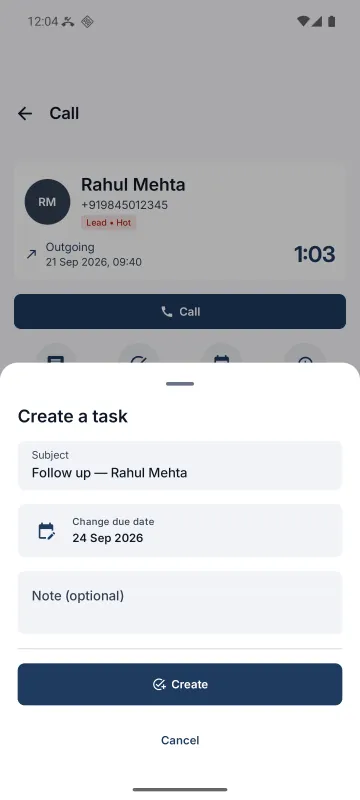
One link turns a call into a real Perfex task: subject, due date and assignee prefilled, and a link back to the call. From the CRM or the phone.
CSV export
Exports every call your filters match, streamed from the server. Not just the page you're looking at.
Missed-call alerts
A missed call from a known lead or customer raises a Perfex notification, so someone rings back.
Dashboard widget
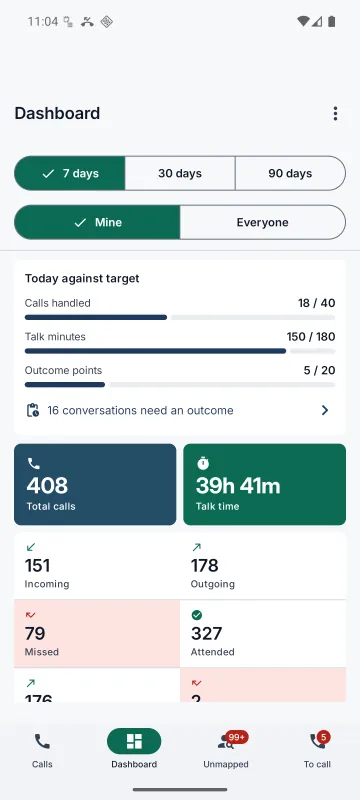
Calls, talk time, missed and unmapped today, a 14-day strip, and each rep's progress against daily targets.
Recordings
Recordings that arrive, even on shared hosting
Where the phone's own dialer records, the app finds the file, matches it to its call by time and length, and uploads it. The CRM plays it inline on the call, the lead and the customer.
- Uploads in 256 KB chunks, so long calls get past hosting upload limits. Interrupted uploads resume.
- A SHA-256 checksum is verified before anything is stored.
- Wi-Fi only by default, so reps don't notice a data bill. A size cap is enforced on the phone too.
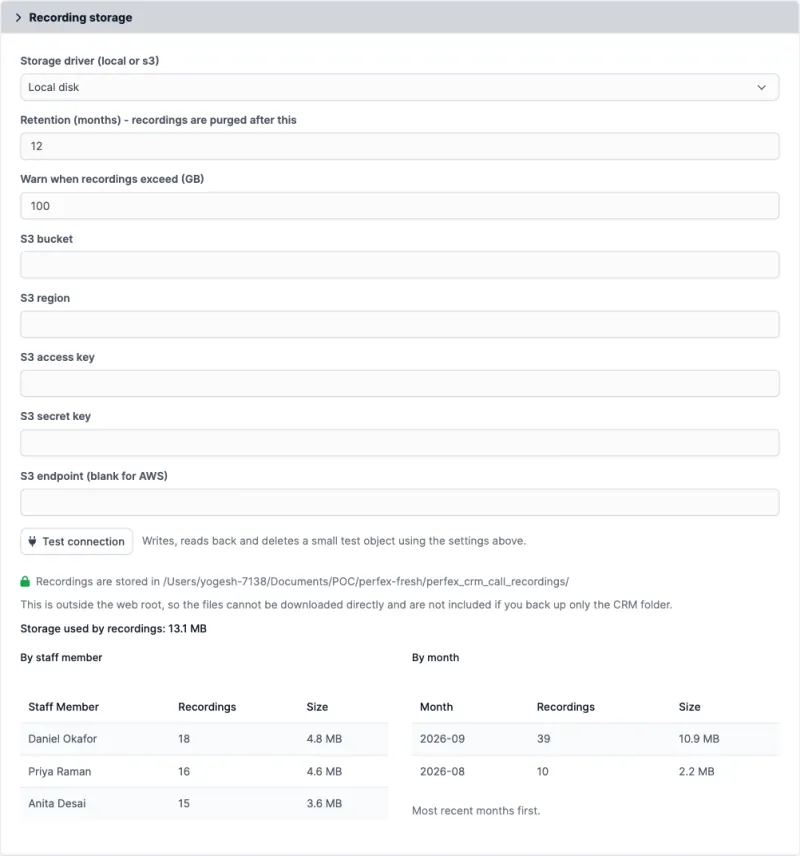
- Stored outside the web root, or in any S3-compatible bucket, with a real write-read-delete connection test.
- Retention in months, purged on the CRM's cron. A separate playback log records who listened, and when.
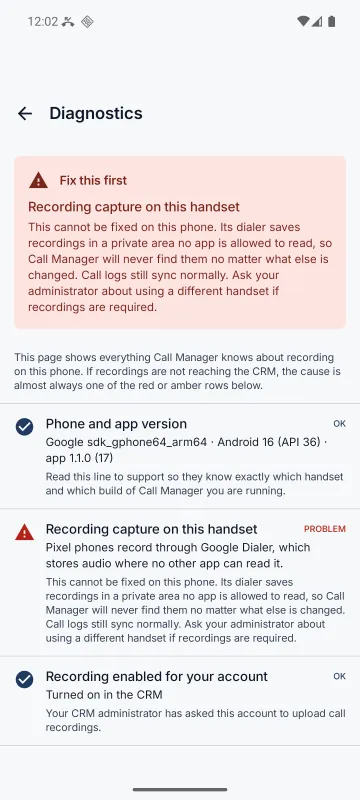
Recording capture depends on the phone's dialer: generally yes on Samsung, Xiaomi, vivo, OPPO and realme, never on Pixel, most Motorola or OnePlus. See the full table.
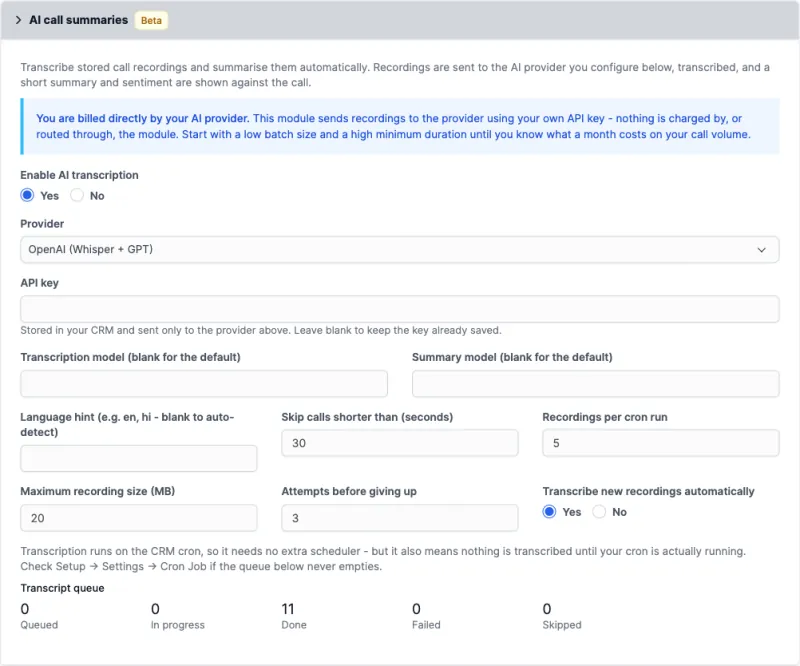
AI call summaries · beta
A transcript, a summary and a sentiment for every recorded call
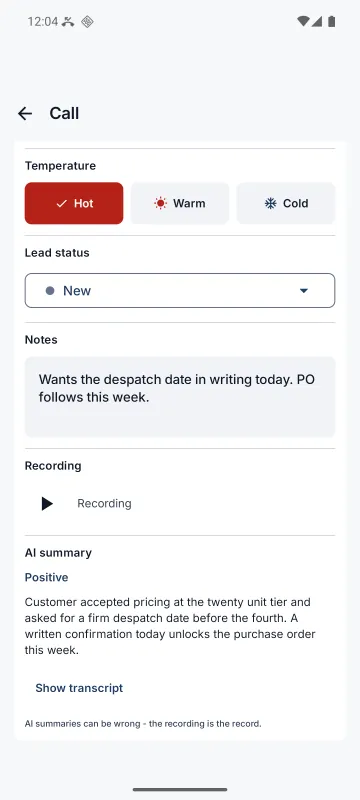
Stored recordings are transcribed on the CRM's own cron. Each call gains a sentiment badge, a one-line summary a manager can read at a glance, and the full transcript for when the summary isn't enough.
Bring your own key. Choose OpenAI, Groq or Google Gemini, paste your API key, and that provider bills you directly. Nothing goes through our servers, and until a key is saved the feature does nothing.
- Cost controls: skip short calls, cap runs per cron pass, cap file size and retries, or transcribe only on request.
- Mixed-language calls: name two languages, such as
ta, en, for Tamil–English or Hindi–English conversations. - Transcripts are purged with their audio. The short summary stays as a business record.
| Provider | Default models | Worth knowing |
|---|---|---|
| OpenAI | whisper-1 · gpt-4o-mini | The key many teams already have. Transcript and summary are separate calls, so a failed summary still leaves the transcript. |
| Groq | whisper-large-v3-turbo · openai/gpt-oss-120b | The same open Whisper models at roughly a tenth of OpenAI's per-minute price. The one to pick for a large fleet. |
| Google Gemini | gemini-2.0-flash | Audio, summary and sentiment in one multimodal call. Recordings above 20 MB are refused by name. |
Reports
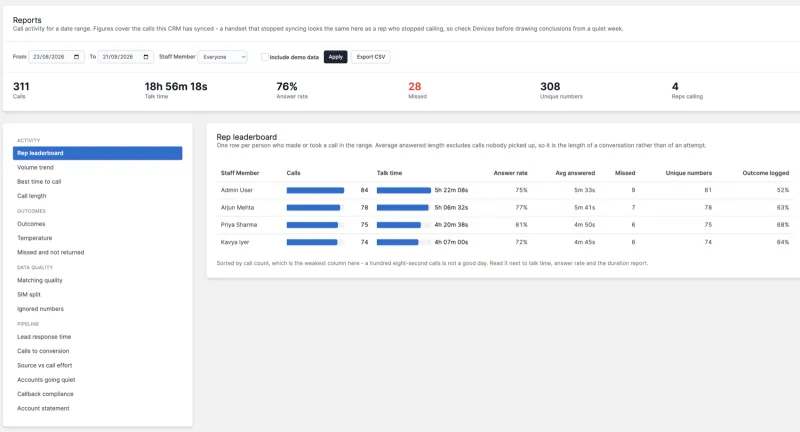
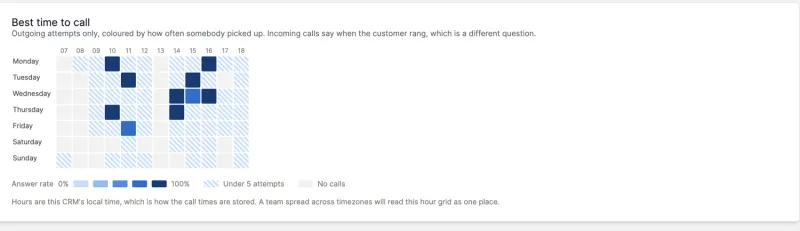
20 reports in five groups, each at its own address
Pick a date range, pick a report and send the link. Every report exports the whole thing to CSV, and a rep with View own sees only their own figures.
Productivity
- Points per outcome, points per talk-hour
- Productive, neutral and wasted talk time
- Daily targets with a 31-day grid
- Daily summaries, emailed if you like
- Outcomes and ROI
Activity and outcomes
- Rep leaderboard and volume trend
- Best time to call and call length
- Outcomes and temperature mix
- Missed and not returned
Pipeline and data quality
- Lead response time and calls to conversion
- Source vs call effort, accounts going quiet
- Callback compliance and account statement
- Matching quality, SIM split, ignored numbers
Outcomes and ROI credits a conversion, proposal or payment to the last connected call in the week before it. It shows that a call came first, not that the call caused the sale, and the report says so.
The Android app
Built for reps who are never at a desk
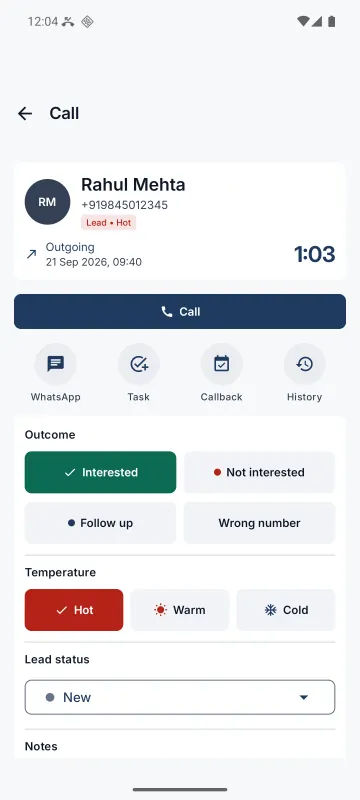
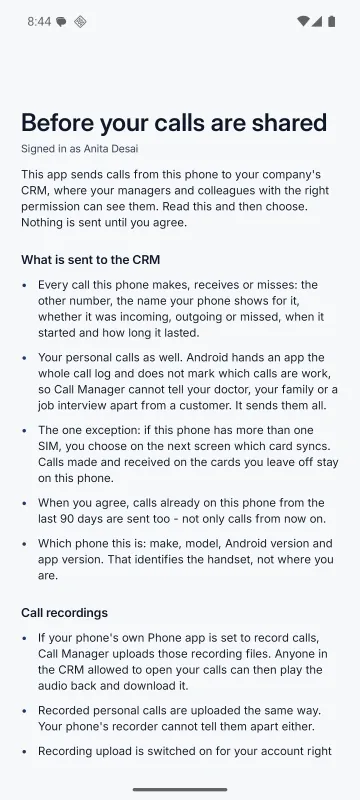
Calls, Dashboard, Unmapped and To call tabs, a caller card during calls, and a post-call prompt that files the outcome in one tap, even offline.
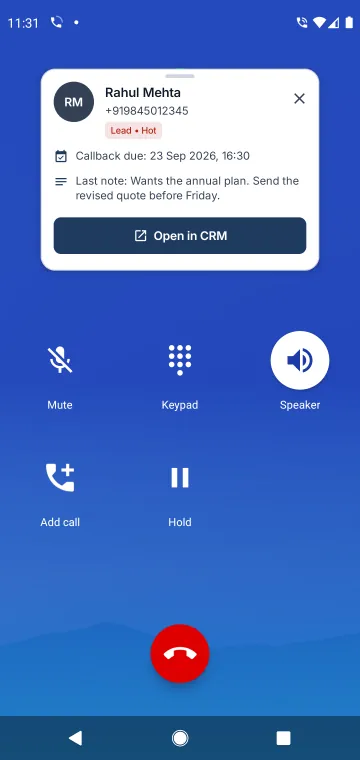
Caller card
The record, its temperature, the callback booked and the last note while the phone rings. Drag it anywhere.
One-tap outcomes
Your outcomes as buttons on the post-call notification, in your colours, kept offline and sent with the call.
Honest diagnostics
Every link in the recording chain with a verdict, the one thing to fix first, and the button that fixes it.
A To call list
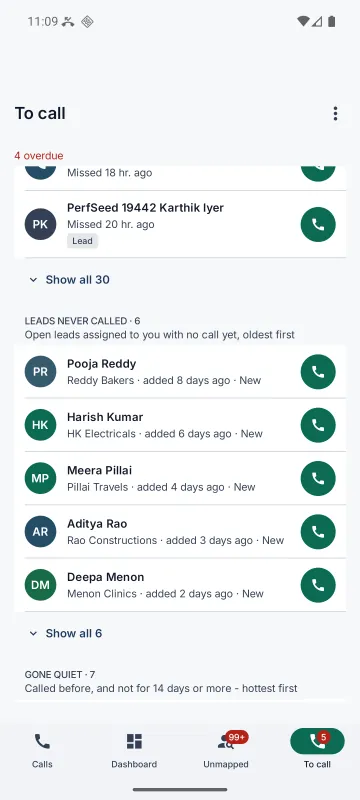
Overdue and today's callbacks, missed calls nobody returned, leads never called and accounts gone quiet, each with a call button.
Callbacks that ring
Each callback sets an alarm on the rep's phone, with the note, Call now and Snooze. Finished in the CRM, it stops ringing.
Today, at a glance
Targets on the dashboard and a home-screen widget, plus yesterday's summary as a morning notification if you switch it on.
Lead status from the call
Move a lead through your kanban statuses from the call screen. It's logged under the rep and credited in Outcomes and ROI.
Log a call from the phone
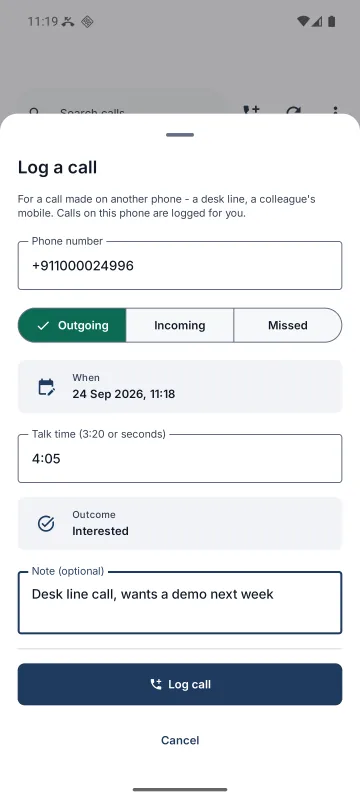
For a desk line or a colleague's mobile: number, direction, talk time, outcome and a note, filed like a synced call.
Fast first sync
A new phone sends its whole backfill in one go, with a progress bar, rather than 500 calls at a time.
Admin and security
Control over every phone and every recording
- View and View own permissions in Perfex's own role system, enforced through the REST API too.
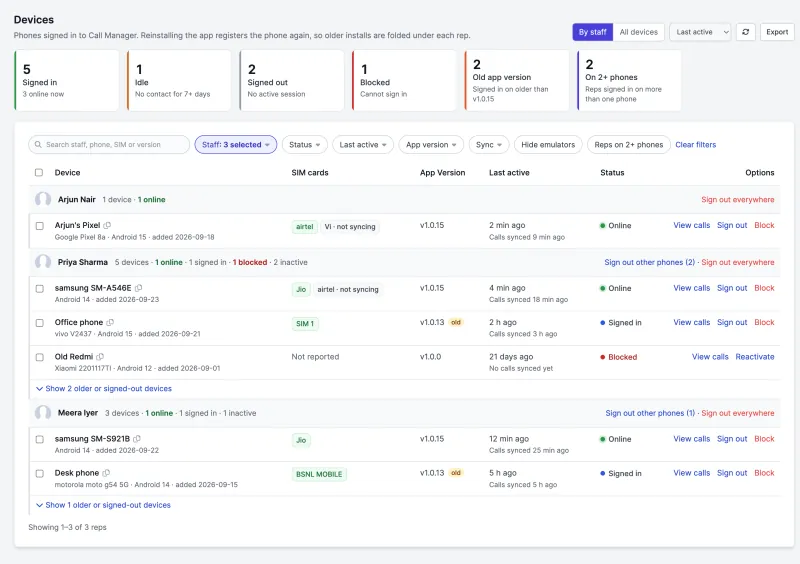
- Devices page: every phone grouped by rep, with status (online, signed in, idle, signed out or blocked), app version and SIMs. Sign out or block a lost phone in one click.
- Minimum app version stops an out-of-date phone syncing after a breaking change, before it asks for a password.
- Zero core edits. A standard module that survives Perfex upgrades.
- A REST API (
call_manager/api/v1) for your own integrations.
Screenshot tour
See every screen
Taken on a demo install with invented names. Click any screenshot to enlarge it.
Runs on the Perfex CRM you already have
Perfex CRM 3.4.x · PHP 8.1+ · MySQL 5.7+ or MariaDB 10.3+ · HTTPS · the CRM cron · Android 8.0+ phones
Put every sales call in Perfex CRM this week.
One-time price from $49. Unlimited reps and phones. 14-day money-back guarantee.